How to Enable Spotify Lossless Audio (and Actually Hear It)
Spotify Premium now streams 24-bit FLAC at no extra cost. Here's how to turn Lossless on per device and the gear that unlocks it.
After years as the last major holdout, Spotify finally streams lossless audio, and the best part is that it costs Premium subscribers nothing extra. The catch is that it does not turn itself on, you have to enable it on every device, and a pair of Bluetooth earbuds will quietly throw away the extra quality before it reaches your ears. Here is how to switch it on properly and the setup that actually lets you hear the difference.
Quick answer
Spotify Lossless streams up to 24-bit/44.1 kHz FLAC for Premium subscribers at no surcharge in 50-plus markets, but it is off by default and must be enabled per device. Open Spotify, go to Settings, then Media quality, and set the streaming quality to Lossless for Wi-Fi, cellular, and downloads as you prefer. To actually hear it, use wired headphones or a wired DAC, because standard Bluetooth cannot carry a full lossless stream. It does not apply to podcasts, audiobooks, or music videos.
Key takeaways
- Spotify Lossless streams up to 24-bit/44.1 kHz FLAC for Premium users at no surcharge in 50-plus markets.
- You must enable Lossless manually on each device; it is off by default.
- Spotify lets you set separate quality for Wi-Fi, cellular, and downloads.
- Bluetooth cannot carry lossless audio, so wired headphones or a wired connection are required to hear it.
- Lossless does not apply to music videos, podcasts, or audiobooks.
What "lossless" actually means here
Lossless means the audio is delivered without the compression artifacts that come from lossy formats. Spotify's implementation streams FLAC at up to 24-bit/44.1 kHz, which preserves detail that the old high-quality Ogg Vorbis streams (capped around 320 kbps) discarded. On the right gear you hear more space, cleaner high frequencies, and better separation between instruments.
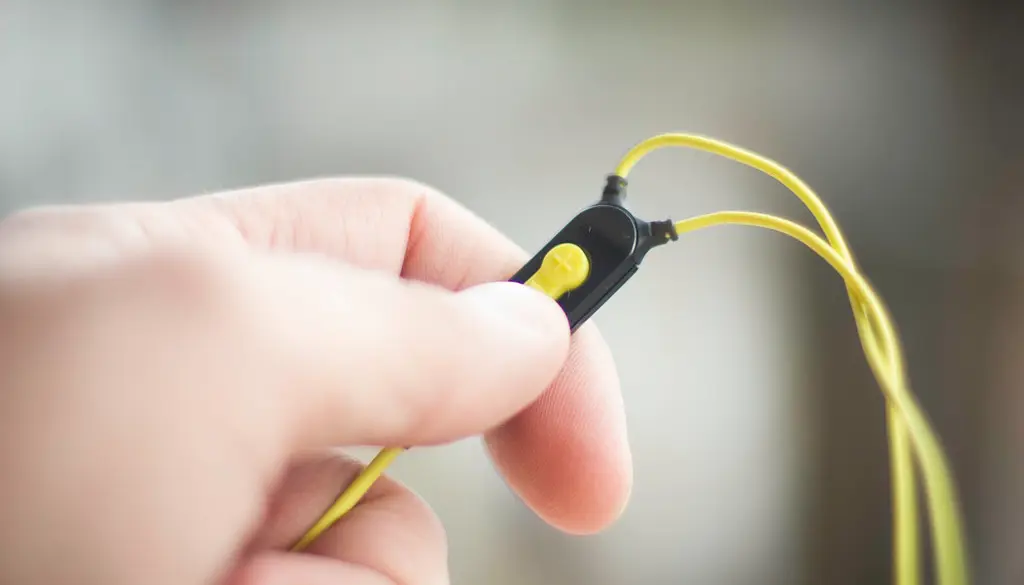
It is not a magic upgrade for every situation, though. On cheap earbuds over Bluetooth, you will not hear the benefit at all, because the wireless link throws away the extra data before it reaches your ears. The honest truth is that lossless is a meaningful upgrade on good wired gear and a placebo on most wireless setups.
How to enable Lossless
The setting lives in the quality controls, and it is per device, so repeat this on your phone, tablet, and desktop app.
- Open Spotify and go to Settings, then Media quality (or Audio quality).
- Set the streaming quality to Lossless for your connection types.
- Configure Wi-Fi, Cellular, and Download quality separately to your preference.
- Repeat on every device where you want lossless playback.
Note
Lossless uses considerably more data than the lower tiers, roughly 1 GB per hour or more. If you are on a metered mobile plan, set cellular to a lower quality and reserve Lossless for Wi-Fi and downloads.
The gear that unlocks it
This is where most people accidentally leave quality on the table. Standard Bluetooth does not have the bandwidth to transmit a full lossless stream, so wireless earbuds will downsample it. Here is what each setup actually delivers:
| Setup | Hears true lossless? | Notes |
|---|---|---|
| Wired headphones into phone/DAC | Yes | The intended way to hear it |
| Wired headphones into desktop | Yes | A decent built-in or USB DAC helps |
| Standard Bluetooth earbuds | No | Codec downsamples below lossless |
| Spotify Connect to a network DAC/streamer | Yes | Wired or Wi-Fi path can carry FLAC |
| Smart speaker over Wi-Fi | Depends | Some support lossless via Connect |
To actually hear lossless: use wired headphones or speakers, prefer a wired DAC on desktop, and stream over Wi-Fi rather than cellular for stability and to avoid burning mobile data. If you only ever listen on AirPods or similar wireless buds, enabling Lossless will not hurt anything, but you will not get the headline benefit. It is genuinely a wired-listening feature.
What to do right now
- Open Settings > Media quality and set streaming to Lossless for Wi-Fi.
- Set cellular to a lower quality if you have a metered plan, to avoid the ~1 GB/hour data cost.
- Repeat on every device (phone, tablet, desktop), because the setting does not sync.
- Plug in wired headphones or use a wired DAC so the lossless stream actually reaches your ears.
- For speakers, use Spotify Connect to a streamer or DAC that supports lossless playback.
How Spotify Lossless compares to rivals
Spotify arrived late to lossless, so the obvious question is how it stacks up against Apple Music, Amazon Music, and Tidal, all of which offered it years earlier. The short version: for most listeners the practical experience is now broadly comparable, with the differences living at the high end of resolution and in spatial-audio support.
| Service | Lossless ceiling | Hi-res above CD quality? | Notes |
|---|---|---|---|
| Spotify Premium | 24-bit/44.1 kHz FLAC | No (capped at 44.1 kHz) | Free with Premium, off by default |
| Apple Music | 24-bit/192 kHz ALAC | Yes | Included, plus Dolby Atmos |
| Amazon Music Unlimited | 24-bit/192 kHz FLAC | Yes | Included with the plan |
| Tidal | FLAC, hi-res tiers | Yes | Long the audiophile favorite |
Spotify's 44.1 kHz ceiling means it matches CD quality but does not go into the higher sample rates that Apple, Amazon, and Tidal offer. For the vast majority of listeners on normal gear, that distinction is inaudible, and the bigger limiting factor remains your headphones and connection, not the extra sample rate. The headline is simply that Spotify no longer leaves quality on the table compared with the competition, and it does so without an upcharge.
Other Spotify changes in 2026
Beyond Lossless, Spotify has been busy. Recent additions include Prompted Playlists, where you describe a mood and Spotify builds a playlist; About the Song, swipeable story cards with context about a track; and a beta Taste Profile that shows how Spotify understands your listening. None of these affect audio quality, but they round out a year where Spotify finally addressed its biggest fidelity complaint. If you are upgrading your listening setup more broadly, our Dolby Atmos soundbar setup guide covers high-quality audio from your TV and speakers, and our look at Dolby Atmos music and spatial audio explains where immersive formats fit.
Frequently asked questions
Does Lossless cost extra?
No. Spotify rolled Lossless out to Premium subscribers at no additional charge in more than 50 markets. If you already pay for Premium, you just need to turn it on.
Why does my Bluetooth headset not sound lossless?
Standard Bluetooth does not provide enough bandwidth to transmit a full lossless stream, so the audio is downsampled before it reaches the headset. For true lossless, use wired headphones or a wired connection.
Does Lossless work for podcasts and audiobooks?
No. Lossless applies to music tracks only. Music videos, podcasts, and audiobooks are not delivered in the lossless format.
Will Lossless use a lot of data?
Yes, significantly more than the standard tiers, on the order of 1 GB per hour. Set Lossless for Wi-Fi and downloads, and choose a lower quality for cellular if you have a limited mobile data plan.
Can I hear lossless on my home speakers?
Sometimes. If you cast with Spotify Connect to a streamer, DAC, or smart speaker that supports lossless playback over a wired or Wi-Fi path, yes. A speaker fed over standard Bluetooth will not get the full quality.
Bottom line
Spotify Lossless is a free upgrade that most subscribers will never notice unless they go turn it on. Set the quality to Lossless on each device, stream over Wi-Fi, and plug in a decent pair of wired headphones. Do all three and you will finally hear what your Premium subscription has been capable of all along.
Sources & further reading
- support.spotify.com/us/article/lossless-audio-quality/
- newsroom.spotify.com/2025-09-10/lossless-listening-arrives-on-spotify-premium-with-a-richer-more-detailed-listening-experience/
- tomsguide.com/entertainment/music-streaming/spotifys-lossless-listening-makes-music-sound-brand-new-heres-how-to-enable-it
- community.spotify.com/t5/Community-Blog/Spotify-Premium-Now-Streaming-in-Lossless-Quality/ba-p/7124509
- support.spotify.com/us/article/spotify-connect/