Ransomware Now Hunts Your Backups First: Defending Against Akira in 2026
Akira and other crews wipe backups before they encrypt, so you cannot recover. Here is how to make at least one copy they can never reach.

The old advice, "just keep backups", is no longer enough, because modern ransomware crews know it too. Before they encrypt anything, groups like Akira go hunting for your backups and destroy them, so that when the encryption hits there is nothing to restore from and the ransom is your only option. In a November 2025 joint advisory updated for the current threat landscape, CISA, the FBI, and international partners called out exactly this behavior and laid out defenses. The core idea: at least one of your backups must be somewhere the attacker simply cannot reach or alter.
Quick answer
Modern crews like Akira hunt down and delete your backups before they encrypt, so "having backups" no longer guarantees recovery. The fix is to make at least one backup copy immutable, offline, or air-gapped, something a fully compromised domain admin account cannot touch, and to test your restores so you know they work. Pair that with phishing-resistant MFA, fast patching of internet-facing devices, and isolated backup credentials to keep attackers away from your backups in the first place. The 3-2-1-1-0 rule captures the whole shape of it.
Key takeaways
- Akira and similar groups deliberately wipe or encrypt backups before deploying ransomware, removing your ability to recover without paying.
- CISA, the FBI, and partners issued an updated #StopRansomware Akira advisory (November 13, 2025) with concrete defensive guidance; the FBI ranks Akira among the top variants targeting US businesses.
- Akira commonly gains entry through unpatched edge devices (SonicWall, Cisco ASA/FTD) and backup-server flaws, then escalates to reach backup infrastructure.
- The defense that matters most is an immutable, offline, or otherwise isolated backup copy that compromised credentials cannot delete.
- Phishing-resistant MFA, fast patching of internet-facing systems, and least-privilege access on backup systems are the controls that keep attackers away from your backups in the first place.
How ransomware kills recovery
A modern ransomware attack is not a smash-and-grab; it is a campaign. The attacker gains initial access, often through a vulnerable VPN or firewall, or stolen credentials, then dwells, moving laterally and escalating privileges. Somewhere in that dwell time, they specifically seek out backup systems: network shares, backup servers, snapshots, and cloud backup consoles. They delete or encrypt those backups so recovery is impossible. Only then do they detonate the encryption across production systems.
Akira is a textbook example. The group has exploited flaws including CVE-2024-40766 (SonicWall), CVE-2023-20269 (Cisco ASA/FTD), and vulnerabilities in backup servers to get in, and it is known to wipe backups to block recovery. Our coverage of the SonicWall SSL VPN mass exploitation details the entry vector Akira leans on heavily.
Not all backups survive this playbook equally. The difference between a backup that saves you and one the attacker deletes comes down to whether stolen credentials can reach it:
| Backup type | Survives a compromised domain admin? | Why | Verdict |
|---|---|---|---|
| Network share / NAS on the domain | No | Reachable and deletable with admin rights | Convenient, not your recovery copy |
| Cloud backup with shared admin creds | No | Console deletable with the same stolen login | Needs immutability to count |
| Snapshots on production storage | No | Often the first thing wiped | Speeds recovery, not a safety net |
| Immutable / object-lock storage | Yes | Cannot be altered for the retention period | A real recovery copy |
| Offline / air-gapped media | Yes | Physically unreachable over the network | The gold-standard copy |
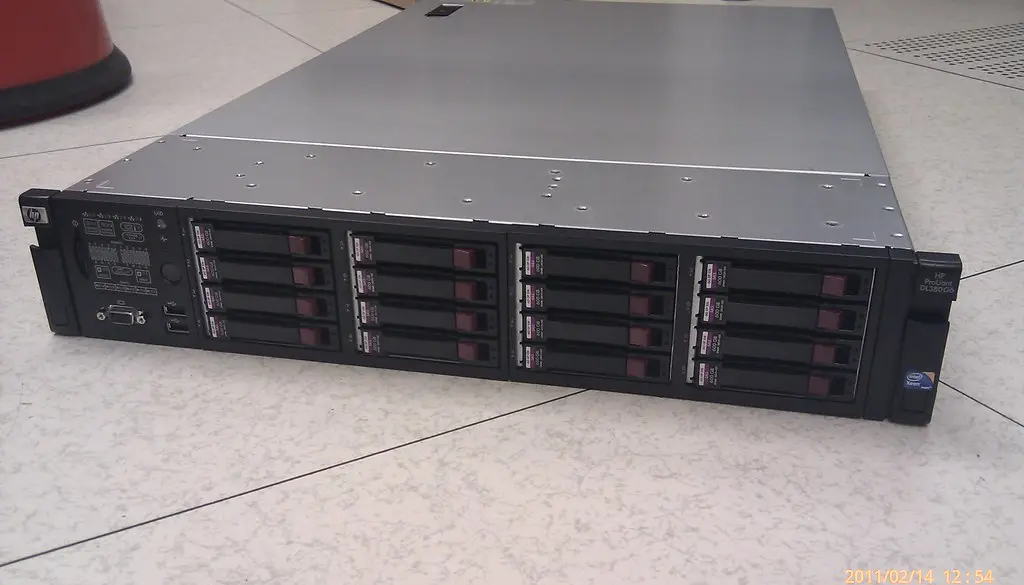
Make one backup untouchable
The single most important shift is ensuring at least one backup copy is beyond the attacker's reach, immutable, offline, or air-gapped, so that even a fully compromised admin account cannot destroy it.
- Keep an offline or air-gapped copy. A backup that is physically disconnected (offline media rotated out, or a separate system not joined to your domain) cannot be reached by an attacker who controls your network.
- Use immutable storage. Object-lock / write-once storage and immutable cloud backups cannot be deleted or altered for a set retention period, even with valid credentials. This defeats the "delete the backups first" tactic directly.
- Separate backup credentials and access. Backup infrastructure should not be administered with the same domain admin accounts an attacker would compromise. Enforce least privilege and isolate backup management.
- Test restores regularly. A backup you have never restored from is a guess. Periodically perform a real recovery to confirm the backups are complete, uncorrupted, and usable.
- Follow 3-2-1-1-0. Three copies, two media types, one offsite, one offline/immutable, zero restore errors. Our full walkthrough of ransomware-proof 3-2-1-1-0 backups explains each layer.
Tip
The question to ask of every backup is simple: "If an attacker had full domain admin right now, could they delete or encrypt this copy?" If the answer is yes, it is not your recovery backup, you need at least one copy where the answer is no.
Keep attackers away from backups in the first place
Protecting the backup is the last line. The CISA/FBI Akira guidance also stresses keeping the attacker out and slowing lateral movement:
- Enforce phishing-resistant MFA on all remote access, VPN, and administrative accounts, with hardware-based MFA for critical systems. See our guide to phishing-resistant MFA and security keys.
- Patch known-exploited vulnerabilities fast, especially on VPNs, remote-access gateways, and backup servers, deploy critical patches within 30 days and scan regularly.
- Tighten privileged access. Monitor remote-management activity and limit which accounts can reach domain controllers and backup infrastructure, so a single compromised credential cannot pivot to your backups.
- Watch for backup tampering. Alert on mass deletion of snapshots, disabling of backup jobs, or unusual access to backup systems, these often precede encryption by hours.
What to do tonight
If you are responsible for an organization's data, close the recovery gap this week:
- Identify one backup copy that survives a fully compromised admin account. If you do not have one, that is the first thing to fix: enable object-lock/immutable retention or rotate an offline copy out of reach.
- Separate backup credentials from domain admin so a single stolen login cannot pivot to your backups.
- Run a real restore test, not a backup-job "success" check, to prove the data is complete and usable.
- Patch internet-facing devices now, especially SonicWall and Cisco ASA/FTD gateways and backup servers, within days, not months.
- Enforce phishing-resistant MFA on all VPN, remote-access, and admin accounts using security keys.
- Set alerts for backup tampering: mass snapshot deletion, disabled backup jobs, or unusual access often precede encryption by hours, and that warning is your chance to respond.
Frequently asked questions
I have cloud backups. Aren't those safe from ransomware?
Not automatically. If your cloud backup console uses credentials an attacker can compromise, they can delete those backups too. The protection comes from immutability (object lock / write-once retention) and isolated credentials, not from "cloud" by itself.
What does "immutable" actually mean here?
Immutable storage cannot be modified or deleted for a defined retention period, even by an administrator with valid credentials. That property is exactly what defeats ransomware's tactic of deleting backups before encrypting, because the attacker's stolen access does not grant deletion rights.
How often should I test restores?
Regularly enough that you trust them, many organizations test monthly or quarterly, and after any major change. An untested backup is an assumption; only a successful restore proves recoverability, which is the "zero errors" in 3-2-1-1-0.
How does Akira usually get in?
Frequently through unpatched internet-facing devices, VPNs and firewalls such as SonicWall and Cisco ASA/FTD, and through backup-server vulnerabilities, often using stolen-but-valid credentials. Fast patching and phishing-resistant MFA cut off those paths.
Should a small business or home user worry about this too?
Yes, scaled down. Akira targets businesses, but the principle applies to anyone: the one backup that survives is the one ransomware (or a stolen laptop, or a fire) cannot reach. For a household or solo operator that can be as simple as an external drive you back up to and then unplug, or a cloud backup with immutability or versioning turned on, so an attacker who gets your password still cannot wipe the history.
Does paying the ransom guarantee I get my data back?
No. Decryptors supplied by attackers are often slow, buggy, or incomplete, and paying marks you as a willing target for repeat attacks. Law enforcement, including the FBI, discourages paying. A tested, unreachable backup copy is the only recovery method fully under your control, which is exactly why these groups try to destroy it first.
The bottom line
Ransomware groups like Akira have made backup destruction part of the attack, so "having backups" is no longer the same as being able to recover. Make at least one copy immutable, offline, or air-gapped, something a fully compromised admin account cannot touch, test your restores, and pair that with phishing-resistant MFA and fast patching to keep attackers away from your backups in the first place. When the encryption hits, the copy they could not reach is what saves you.
Sources & further reading
- cisa.gov/news-events/cybersecurity-advisories/aa24-109a
- cisa.gov/news-events/news/cisa-fbi-and-partners-unveil-critical-guidance-protect-against-akira-ransomware-threat
- cyberscoop.com/akira-ransomware-fbi-cisa-joint-advisory/
- cybelangel.com/blog/the-akira-ransomware-playbook-everything-you-need-to-know/
- hipaajournal.com/akira-ransomware-advisory-nov-2025/


