Chromecast Says 'No Cast Destination Found'? Here's the Fix
Your phone and Chromecast are on the same Wi-Fi but casting still fails. The real cause is usually network, not the device.

You open a streaming app, tap the Cast icon, and your phone shrugs: "No Cast destination found." Both devices are on the same Wi-Fi, so what gives? The answer is almost always a quirk of how your network broadcasts and isolates devices, not a broken Chromecast.
Quick answer
"No Cast destination found" almost always means your phone and Chromecast are not in the same broadcast domain, so the phone's mDNS discovery request never reaches the device. The most common cause is a split-band network with your phone on 5 GHz and the Chromecast on 2.4 GHz; put both on the same band to test. Then rule out a VPN on your phone, AP (client) isolation on the network, and a stale Chromecast that needs a reboot. Most cases clear in under five minutes.
Key takeaways
- Casting relies on mDNS multicast discovery, which only works when both devices share the same broadcast domain.
- The number-one cause is a split-band network, your phone on 5 GHz, the Chromecast on 2.4 GHz.
- AP/client isolation on guest and mesh networks silently blocks device-to-device discovery.
- A VPN on your phone routes casting traffic off the local network and breaks it.
- Work the diagnostic order top to bottom and most cases clear in under five minutes.
How casting discovery works
When you tap Cast, your phone sends out an mDNS (multicast DNS) discovery request looking for nearby Cast devices. The Chromecast answers. That conversation only works if both devices sit in the same broadcast domain, the same network segment that can see each other's local multicast traffic. Several common router behaviors quietly break that.
Cause 1: Split-band networks that look identical
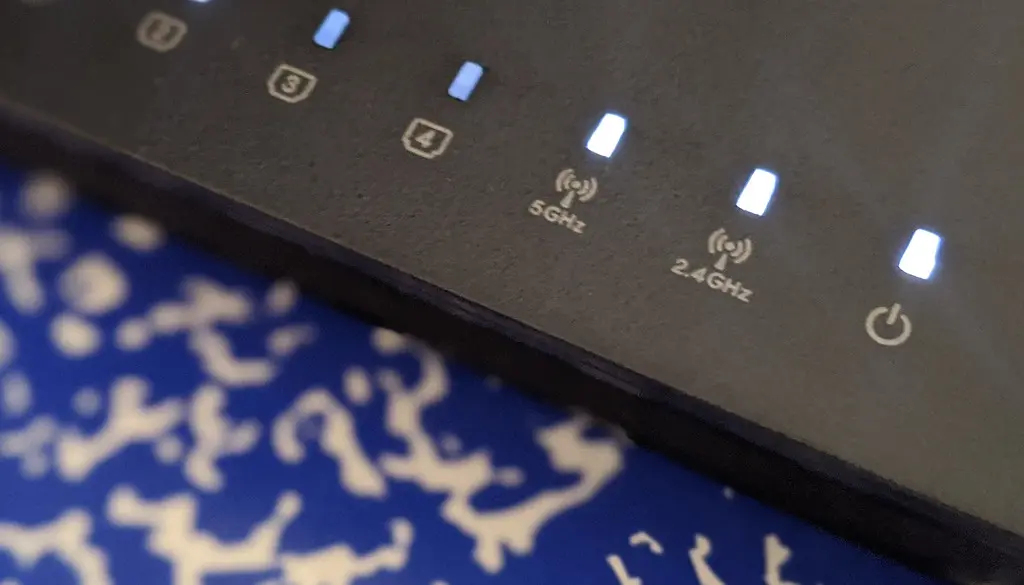
This is the number-one offender. Many routers broadcast 2.4 GHz and 5 GHz as separate networks even when they share one name, or with names like MyWiFi and MyWiFi-5G. Phones prefer the faster 5 GHz band, while older Chromecasts default to 2.4 GHz.
They look like the same Wi-Fi to you, but they are different broadcast domains, and mDNS discovery cannot reliably cross between them.
Fix: Temporarily connect your phone to the same band the Chromecast uses (usually 2.4 GHz), then try casting again. If that works, you found the problem.
Tip
Many modern routers have a "band steering" or "Smart Connect" toggle. Leaving it on is fine for general use, but if casting is flaky, disabling it so both bands share one true network often fixes discovery for good. Persistent band-related drops are worth fixing at the router, our guide to Wi-Fi that keeps disconnecting from a dual-band router covers band steering in depth.
Cause 2: AP isolation (client isolation)
Guest networks and some mesh setups enable AP isolation (also called client or wireless isolation), a security feature that stops devices on the network from talking to each other. Great for a coffee shop, fatal for casting.
- Never cast over a guest network. Move both devices to your main SSID.
- In your router admin page (often
192.168.0.1or192.168.1.1) or your mesh app, search for "AP isolation," "client isolation," or "wireless isolation" and make sure it is off for the network your devices use. - On mesh systems, also look for an option to allow devices to communicate across nodes, and make sure any "block multicast" / IGMP-snooping setting is not killing mDNS.
Cause 3: A VPN on your phone
If your phone is running a VPN, your casting traffic may be tunneled out to a remote server instead of staying on the local network. The Chromecast on your living-room shelf becomes unreachable.
Fix: Turn the VPN off (or add a local-network exception / split-tunnel rule) before casting.
Cause 4: The Chromecast needs a reboot
Discovery services can hang. A power cycle clears them.
- Unplug the Chromecast or Google TV Streamer from power.
- Wait about 10 seconds.
- Plug it back in and give it a couple of minutes to fully boot.
- Reopen your app and check the Cast list.
Cause 5: Distance and interference
Discovery is more reliable when devices are close. Google recommends keeping the streaming device within about 15 to 20 feet of both the phone and the router. Thick walls and microwave ovens degrade 2.4 GHz especially. If your Chromecast is buried behind a metal TV chassis, an HDMI extender to move it into open air can help the signal too.
Cause 6: DNS or firmware issues
Some custom DNS providers (and a few ad-blocking DNS services) block the domains Cast uses to coordinate. If you set a custom DNS on your phone or router, switch back to automatic and retry.
Finally, stale firmware causes weird discovery bugs on both the Chromecast and the router. Update the router firmware from its admin page, and let the Chromecast install any pending updates.
Warning
If you recently changed your Wi-Fi password or router, the Chromecast may still be trying to join the old network. Re-run setup in the Google Home app to point it at the current SSID.
Cause and fix at a glance
| Symptom | Likely cause | Fix |
|---|---|---|
| Cast icon shows nothing on the same Wi-Fi | Phone on 5 GHz, Chromecast on 2.4 GHz | Put both on the same band; disable band steering if needed |
| Works at home but not on guest Wi-Fi | AP / client isolation enabled | Turn off isolation, or move both devices to the main SSID |
| Casting broke after enabling a VPN | Traffic tunneled off the local network | Disable the VPN or add a local-network split-tunnel rule |
| Device appeared before but now does not | Discovery service hung | Power cycle the Chromecast for 10 seconds |
| Flaky after a router or password change | Chromecast still joining the old SSID | Re-run setup in the Google Home app |
| Custom or ad-blocking DNS in use | Cast coordination domains blocked | Revert to automatic DNS and retry |
Fast diagnostic order
Work top to bottom and you will catch most cases quickly:
- Confirm the phone is on the same band/SSID as the Chromecast (not a 5G-only or guest network).
- Turn off any VPN on the phone.
- Make sure AP isolation is off for that network.
- Reboot the Chromecast and the router.
- Move devices closer together.
- Revert any custom DNS and update firmware.
Nearly every "No Cast destination found" message traces back to one of these six. Start with the band mismatch, since that single issue accounts for the bulk of cases on modern dual-band routers. If casting works but playback then stutters, that is a bandwidth problem rather than discovery, see why your smart TV keeps buffering.
Frequently asked questions
Why does my phone say no Cast device when they're on the same Wi-Fi?
Usually because "the same Wi-Fi" is actually two separate bands. Your phone is on 5 GHz and the Chromecast on 2.4 GHz, and mDNS discovery does not reliably cross between them. Put both on the same band to test.
Does a VPN stop Chromecast from working?
Yes. A VPN tunnels your phone's traffic off the local network, so it can no longer reach the Chromecast. Disable the VPN or add a local-network exception before casting.
What is AP isolation and how do I turn it off?
AP (or client) isolation is a router security feature that blocks devices on the same network from talking to each other. Find it in your router admin page or mesh app under Wireless settings, labeled "AP isolation," "client isolation," or "wireless isolation," and switch it off for your main network.
Will rebooting the Chromecast lose my settings?
No. A power cycle just clears temporary discovery glitches. Your account, apps, and Wi-Fi configuration are preserved.