How to Enable Spotify Lossless Audio in 2026
Spotify Premium now streams in 24-bit FLAC. Here is how to turn on Lossless, the gear you need, and why Bluetooth still holds it back.

Spotify spent years promising hi-fi audio and just as long delaying it. That wait is over. Spotify Premium now streams Lossless in up to 24-bit/44.1 kHz FLAC, unlocking far more detail across nearly the entire catalogue. The catch is that it is off by default, you have to enable it on every device, and Bluetooth still cannot carry it at full quality. Here is how to switch it on and actually hear the difference.
Quick answer
Open Spotify, tap your profile icon, go to Settings and Privacy then Media Quality, and set Wi-Fi, Cellular, and Downloads to Lossless. It is included with Premium at no extra cost and streams up to 24-bit/44.1 kHz FLAC. The catch: it is a per-device setting, so repeat it on every phone, tablet, and computer, and Bluetooth earbuds re-compress the stream, so use wired headphones or Spotify Connect to actually hear the difference.
Key takeaways
- Lossless streams up to 24-bit/44.1 kHz FLAC and is included with Spotify Premium.
- You enable it manually per device under Settings and Privacy, in Media Quality.
- Bluetooth cannot carry lossless at full quality; use a wired connection or Spotify Connect for the real benefit.
- The rollout is staged across 50-plus markets; you get a notification when it reaches your account.
What Lossless actually gives you
Standard Spotify streaming is lossy: it compresses audio and discards data your ears mostly do not miss. Lossless uses FLAC, which compresses without throwing anything away, so the file you hear matches the studio master far more closely. In practice that means cleaner high frequencies, more space between instruments, and better detail in quiet passages, especially on capable headphones or speakers.
The format tops out at 24-bit/44.1 kHz, which is CD-quality and beyond for the bit depth. It is not the 192 kHz "hi-res" some rivals advertise, but for the vast majority of listening it is a genuine, audible step up from Spotify's old ceiling.
Here is how Spotify Lossless stacks up against the tiers it competes with, so you know what you are actually getting:
| Service / tier | Top quality | Cost (US, 2026) | Notes |
|---|---|---|---|
| Spotify Premium Lossless | 24-bit/44.1 kHz FLAC | Included with Premium | No separate hi-fi tier to buy |
| Apple Music | Up to 24-bit/192 kHz ALAC | Included | Higher ceiling, needs a DAC for full res |
| Tidal | Up to 24-bit/192 kHz FLAC | Included on standard plan | Was the hi-res benchmark |
| Amazon Music Unlimited | Up to 24-bit/192 kHz | Included | Ultra HD on the standard plan |
| Spotify (old default) | 320 kbps Ogg Vorbis (lossy) | Premium | What you were hearing before |
The practical takeaway: Spotify's 44.1 kHz ceiling is lower than Apple, Tidal, or Amazon on paper, but the jump from lossy 320 kbps to true lossless is the one most people will actually notice. The difference between 44.1 kHz and 192 kHz is far subtler and needs both very good gear and trained ears.
Note
Lossless is part of Premium at no extra cost. There is no separate hi-fi tier to buy; once it reaches your account you simply switch it on.
How to turn on Lossless
The setting is per-device and lives in Media Quality. You will need to repeat this on each phone, tablet, or computer where you want it.
- Open Spotify and tap your profile icon in the top-left.
- Go to Settings and Privacy > Media Quality.
- Under Wi-Fi, Cellular, and Downloads, set the quality to Lossless.
- Start a track and check for the Lossless indicator in the Now Playing view to confirm it is active.
The indicator also appears in the Connect picker, so you can verify a connected speaker or device is receiving the lossless stream rather than silently falling back to a lower quality.
Why your gear matters more than the toggle
Here is the part people miss: flipping the switch is not enough. The connection between your device and your headphones decides whether you actually hear lossless.
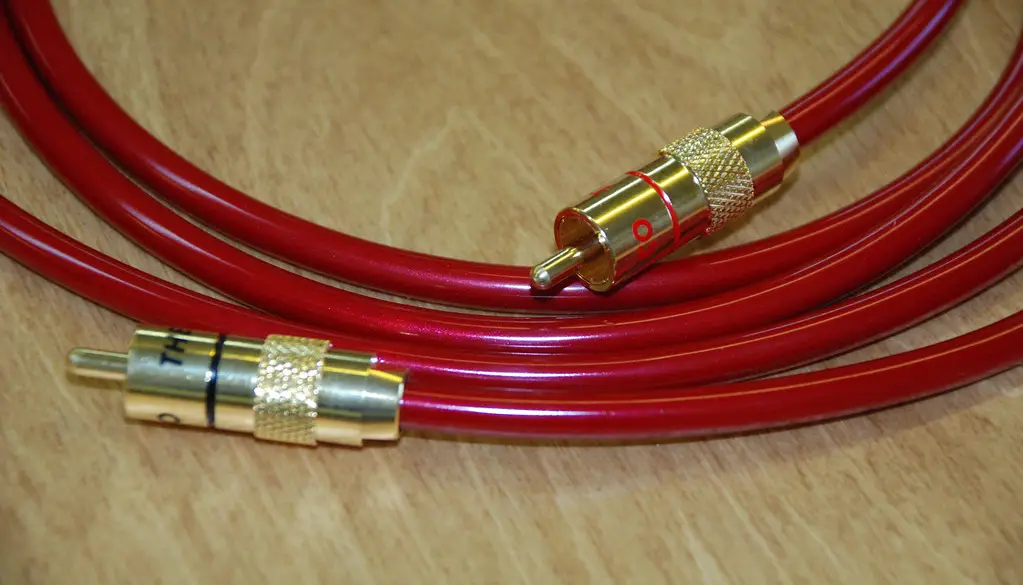
Bluetooth simply does not have the bandwidth to transmit a full lossless stream, so the audio gets compressed again before it reaches your wireless earbuds, undoing the benefit. To hear the real thing, Spotify recommends streaming over Wi-Fi using wired headphones or speakers, or sending it over a non-Bluetooth path such as Spotify Connect to a compatible device.
This is the table that actually decides whether the toggle does anything for you:
| Your listening setup | Do you get lossless? | Why |
|---|---|---|
| Wired headphones into phone or DAC | Yes | No wireless link to re-compress the stream |
| Wired or Connect-linked speaker | Yes | Stream stays digital end to end |
| Standard Bluetooth earbuds | No, re-compressed | Bluetooth lacks the bandwidth for full FLAC |
| Bluetooth with a lossless codec | Partly, codec dependent | Some newer codecs help, but it is not guaranteed full quality |
If you only ever use ordinary Bluetooth earbuds, flipping Lossless on costs you nothing but will not transform your sound. The win shows up the moment you go wired or use Connect.
Tip
For the best result: stream on Wi-Fi, set Media Quality to Lossless, and listen through wired headphones or a wired or Connect-linked speaker. If you only ever use Bluetooth earbuds, the upgrade will be limited by the wireless link, not the source.
Rollout and availability
Spotify began rolling Lossless out to Premium listeners in September 2025 and expanded to more than 50 markets, including the US, UK, Germany, Japan, and Australia, over the following weeks. Because it is staged, not everyone got it at once. Premium subscribers receive an in-app notification when Lossless becomes available on their account, after which the Media Quality option appears.
If you do not see the Lossless setting yet, make sure the app is updated and that your region is in the rollout. The same gradual approach shows up across modern apps, much like the staged feature drops we covered in the Firefox 141 update.
What to do right now
To get the most out of Lossless in a couple of minutes:
- Update Spotify to the latest version and confirm Lossless has reached your account.
- In Settings and Privacy then Media Quality, set Wi-Fi, Cellular, and Downloads to Lossless.
- Repeat the toggle on every device you listen on. It does not sync across them.
- Plug in wired headphones or pick a Connect-linked speaker rather than Bluetooth earbuds.
- Play a track and confirm the Lossless indicator appears in Now Playing and in the Connect picker.
- If you are on a metered plan, drop Cellular back to a lower quality to control data while keeping Wi-Fi on Lossless.
Frequently asked questions
Does Lossless cost extra?
No. It is included with Spotify Premium at no additional charge once it reaches your account.
Why does it still sound compressed on my wireless earbuds?
Bluetooth cannot carry a full lossless stream, so the audio is re-compressed before reaching your earbuds. Use wired headphones or a Connect-linked speaker to hear the uncompressed quality.
Do I have to enable it on every device?
Yes. Lossless is a per-device setting under Media Quality, so enable it separately on each phone, tablet, or computer.
Will Lossless use more data?
Yes, FLAC files are larger than lossy streams, so expect higher data and storage use. Adjust the Cellular and Downloads quality if you want to limit mobile data.
Is Spotify Lossless as good as Apple Music or Tidal hi-res?
For bit depth they are equal, but Spotify caps at 44.1 kHz where Apple, Tidal, and Amazon reach up to 192 kHz. In practice the jump from lossy to lossless is the big audible step; the difference between 44.1 kHz and 192 kHz is subtle and needs high-end gear to notice.
Do I need a separate DAC?
Not for Spotify's 24-bit/44.1 kHz. A phone's wired output or a basic USB-C dongle DAC handles it fine. A dedicated DAC matters more for the higher sample rates rivals offer, not for Spotify's current ceiling.
Should you turn it on?
If you listen on decent wired headphones or a wired or Connect speaker, absolutely. Lossless is a real, free upgrade for Premium subscribers and takes under a minute to enable. Just remember the chain matters: the toggle gets you the better stream, but your connection and gear decide how much of it you actually hear.
Sources & further reading
- support.spotify.com/us/article/lossless-audio-quality/
- newsroom.spotify.com/2025-09-10/lossless-listening-arrives-on-spotify-premium-with-a-richer-more-detailed-listening-experience/
- community.spotify.com/t5/Community-Blog/Spotify-Premium-Now-Streaming-in-Lossless-Quality/ba-p/7124509
- connect.spotify.com/lossless